
Applejack · for small teams
A new customer. A vendor. Someone claiming to be the boss.
Most are legitimate. The challenge is knowing when one isn't.
Applejack is being built to help small businesses spot signs of scams and social engineering, assess suspicious requests before acting, and reduce exposure to known malicious websites, without requiring dedicated security staff.
Request free early accessThe problem: a familiar name, an unfamiliar number
Someone claiming to be the boss, an urgent favor, and gift cards. Messages like this look routine until the money is gone.
Why it's different
More than message analysis
Applejack combines signals in the communication with EverydaySecurity's fraud intelligence, giving small teams more context when something looks suspicious.
Built for small teams
No dedicated security team required
Applejack is designed to run inside the email and text your team already uses. No security staff, no separate tool to remember to open.
How Applejack helps
Two ways to look at a threat
One looks at what sits behind it. The other looks at what the message is trying to do.
Look at the message
Surfaces signals such as unusual payment changes, impersonation, urgency, or requests for sensitive information.
Incoming message
Text, email, or chat from someone your team deals with.
Signal detected
Urgency and a request to change a payment.
Why it may be risky
New contact, asking to skip the usual process.
Suggested next step
Confirm by phone before sending anything.
The problem: it looks like every other closing email. A known contact, a real address, a familiar deal, and new wiring instructions the day before closing. One letter in the domain is different.
How Applejack responds. Messages from your inbox and texts are reviewed in the Applejack app, with a plain-English verdict and the reasoning behind it. Review only: nothing is dismissed or moved unless you choose to.
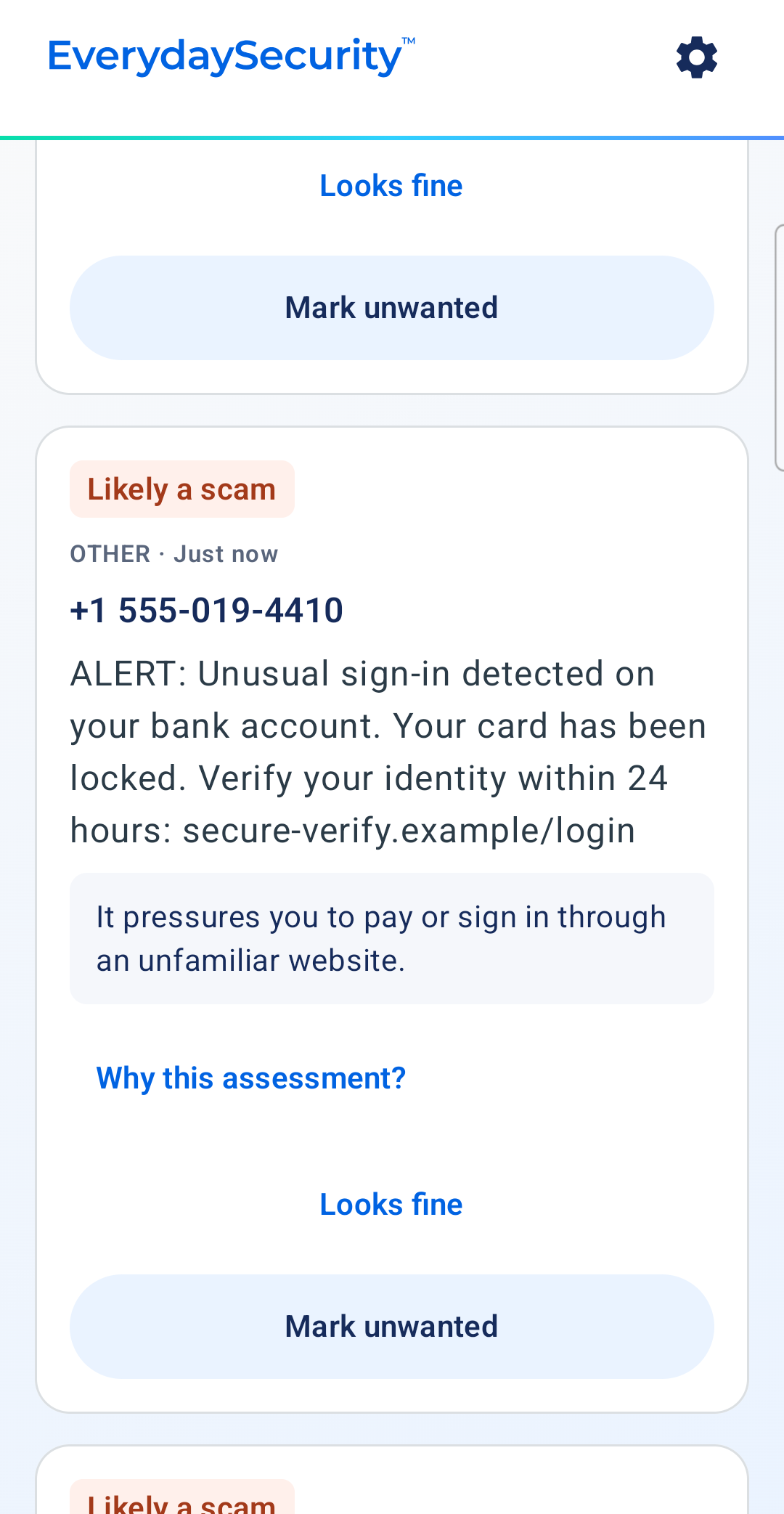
A clear verdict
“Likely a scam,” with one line on what the message is pushing you to do.
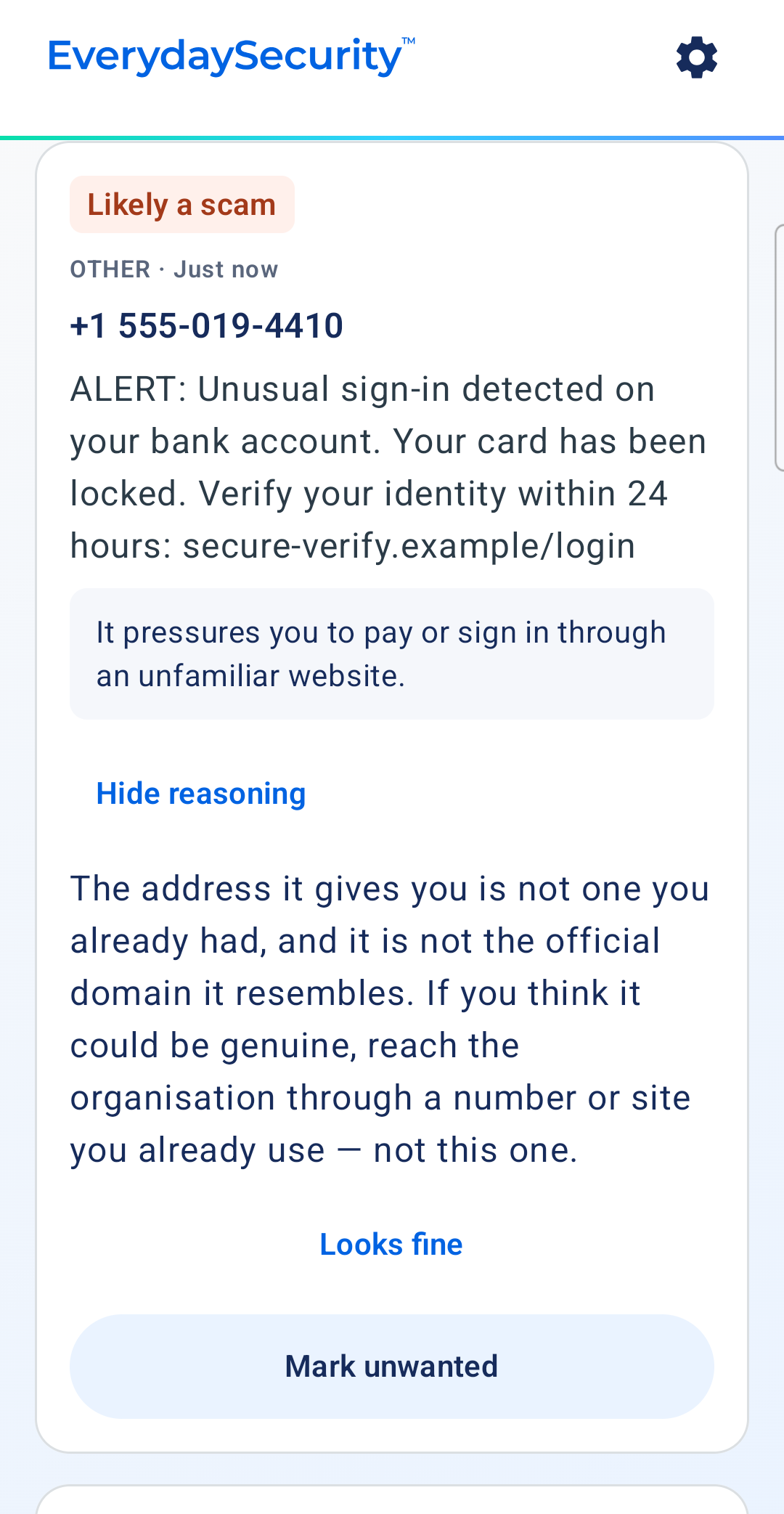
The reasoning, on request
Tap “Why this assessment?” for what looks wrong and a safer way to check.
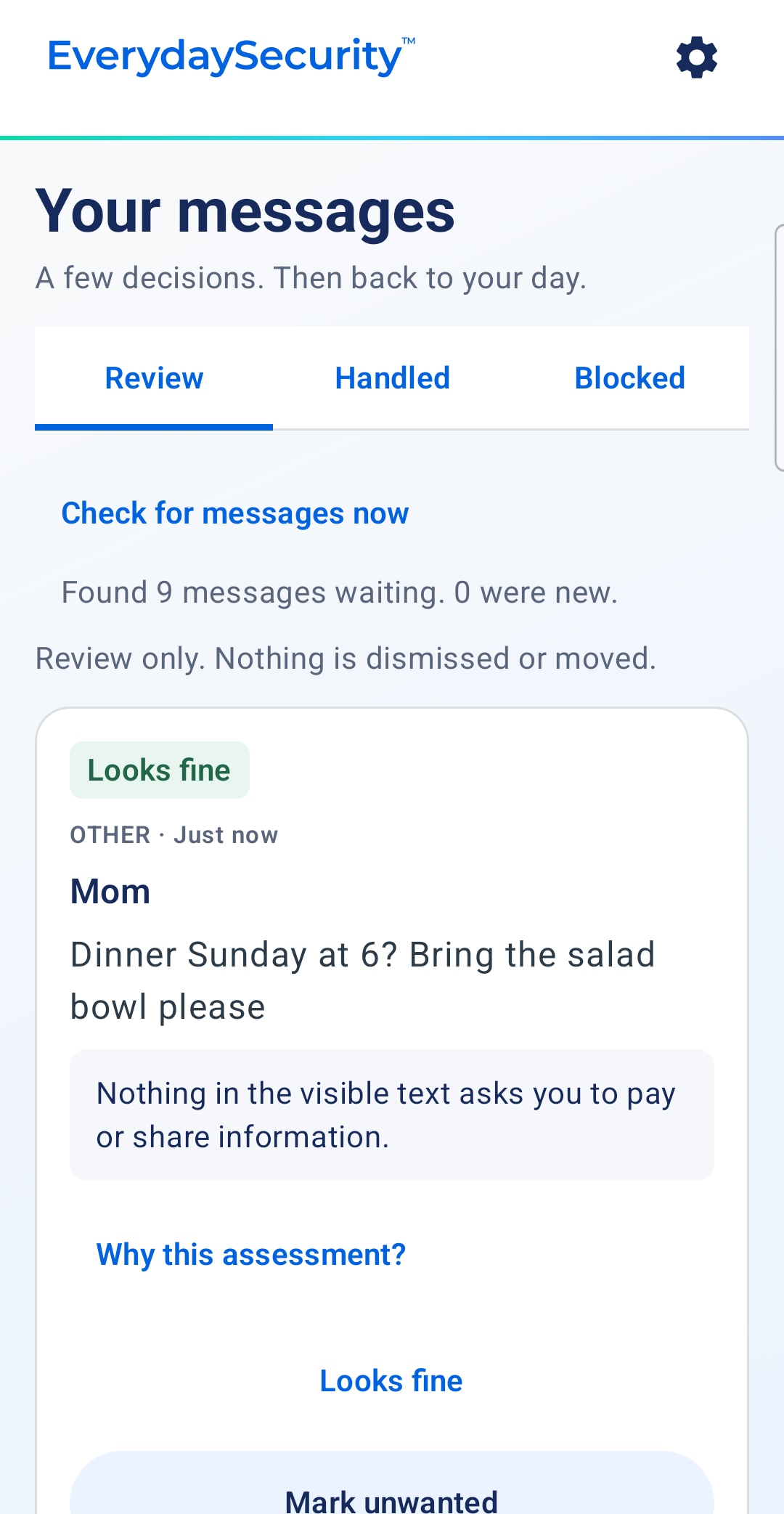
Most messages look fine
A few decisions, then back to your day. Normal messages are marked as fine.
Look outside the message
Uses EverydaySecurity intelligence when a link or infrastructure is already associated with malicious activity.
Link in message
A URL included in the text or email.
Known malicious infrastructure
Matched against EverydaySecurity intelligence.
Access blocked
Your team doesn't reach the destination.
How Applejack responds. Lookups to known scam sites are refused on the phone, listed in the app, and can be let through if you need them. Applejack also checks for apps that could let someone else control the phone.

Blocked sites
Every refused lookup is listed here, with a way to allow it.
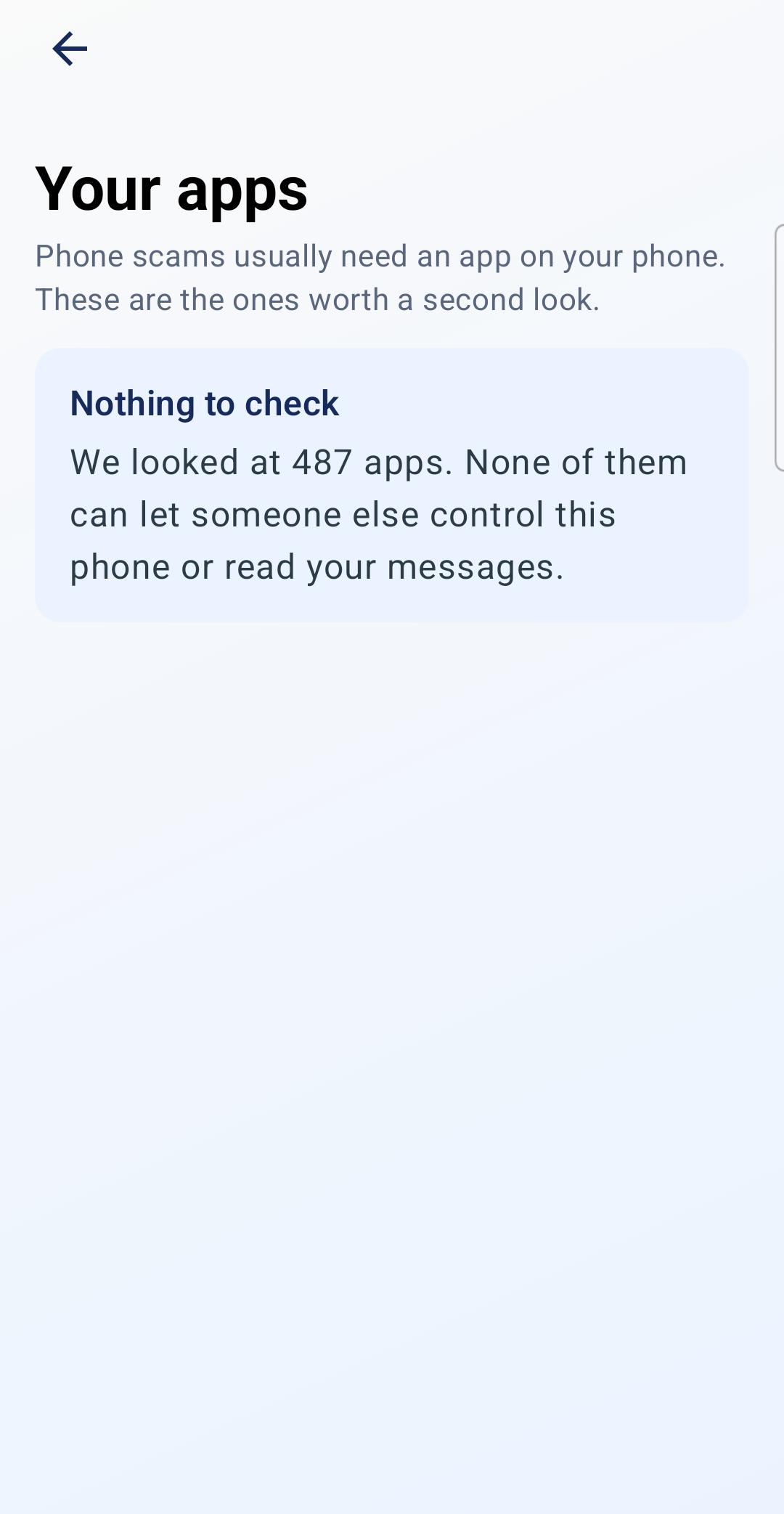
Your apps
Phone scams usually need an app. Applejack flags the ones worth a second look.
Inside the app
You stay in control
Applejack runs on Android. Automatic handling is off until you turn it on, and it only acts on rules you create.
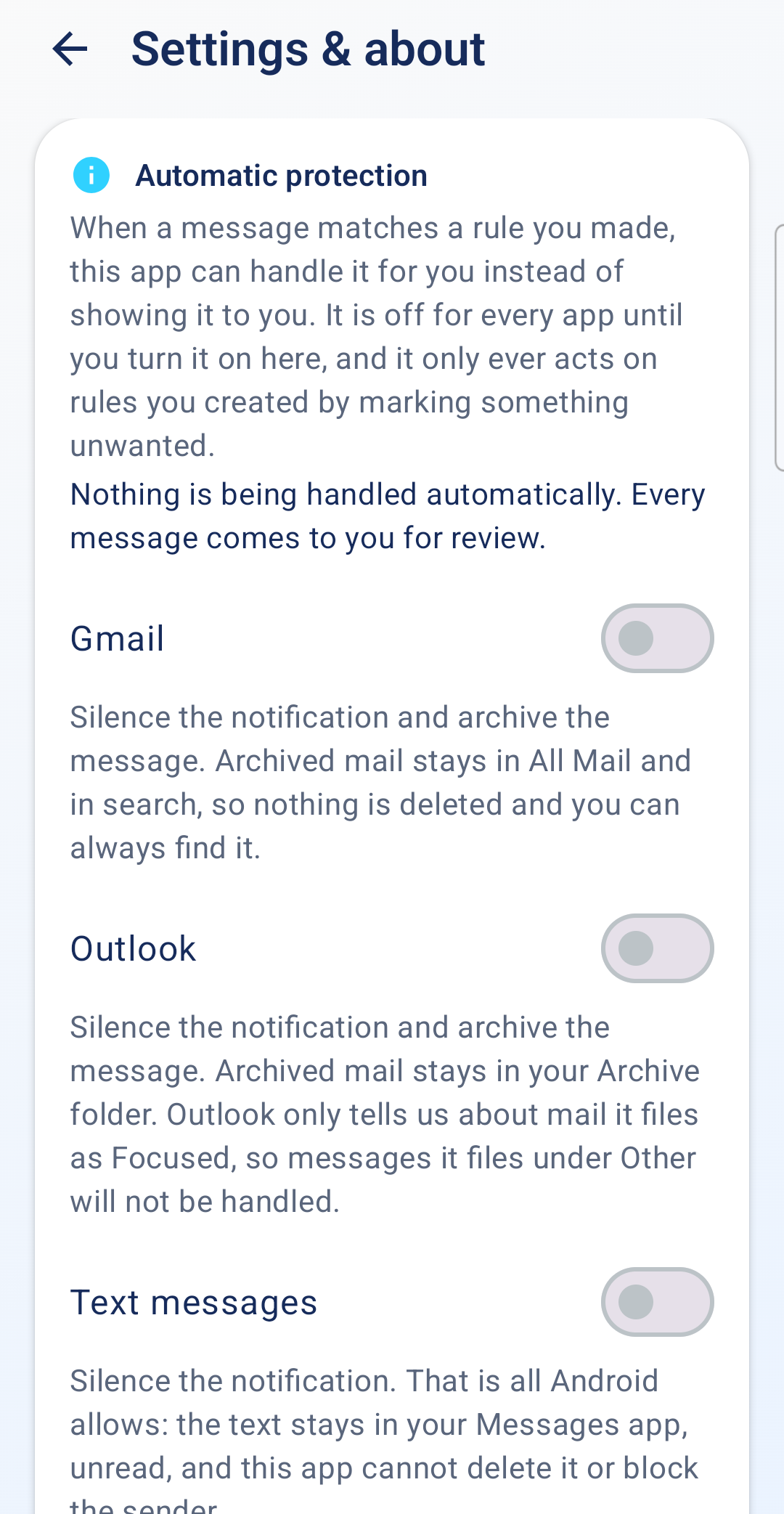
Automatic protection, your rules
Off for Gmail, Outlook and texts until you switch it on. Nothing is deleted.
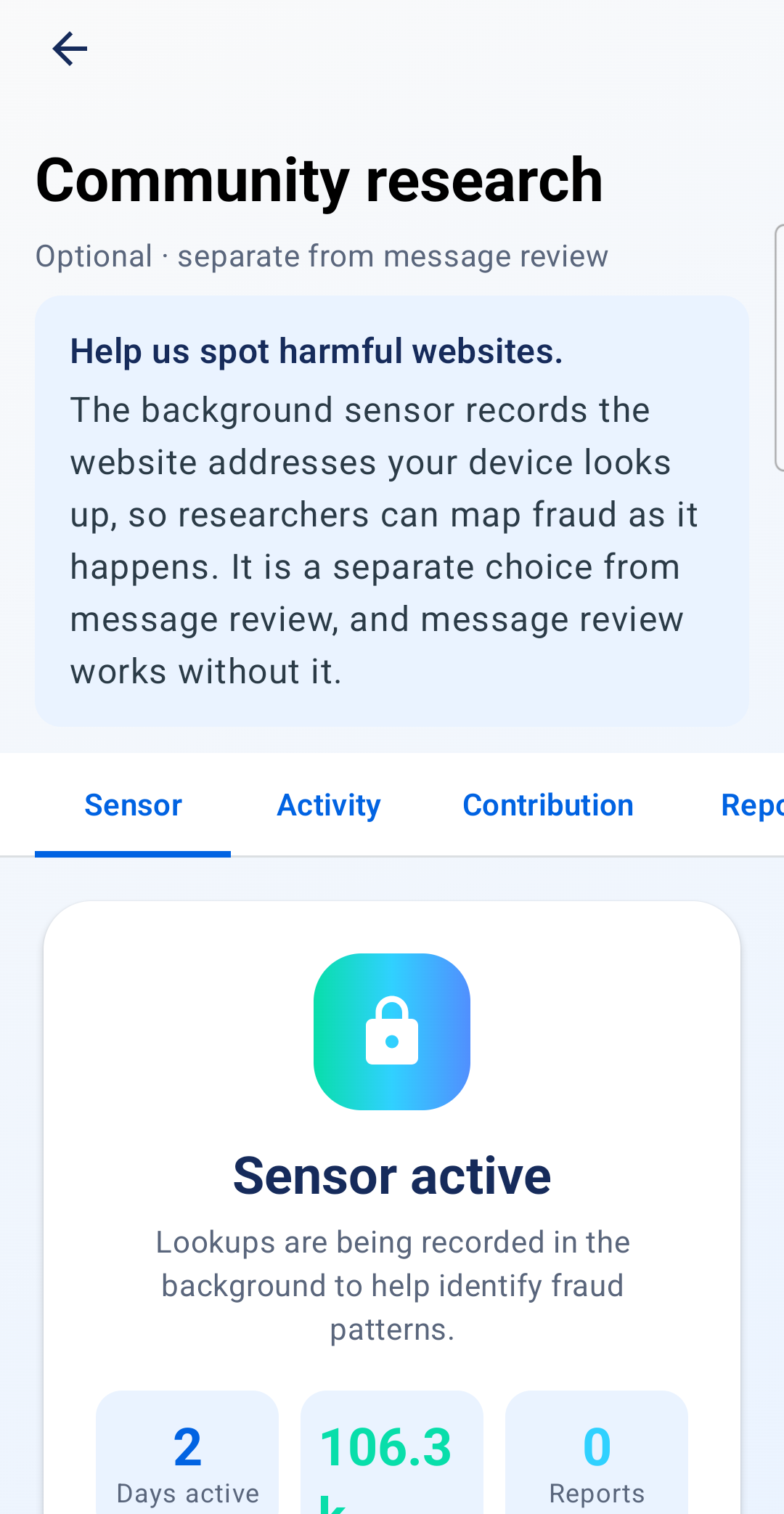
Community research
Optional. Share the sites your phone looks up so researchers can map fraud as it happens.
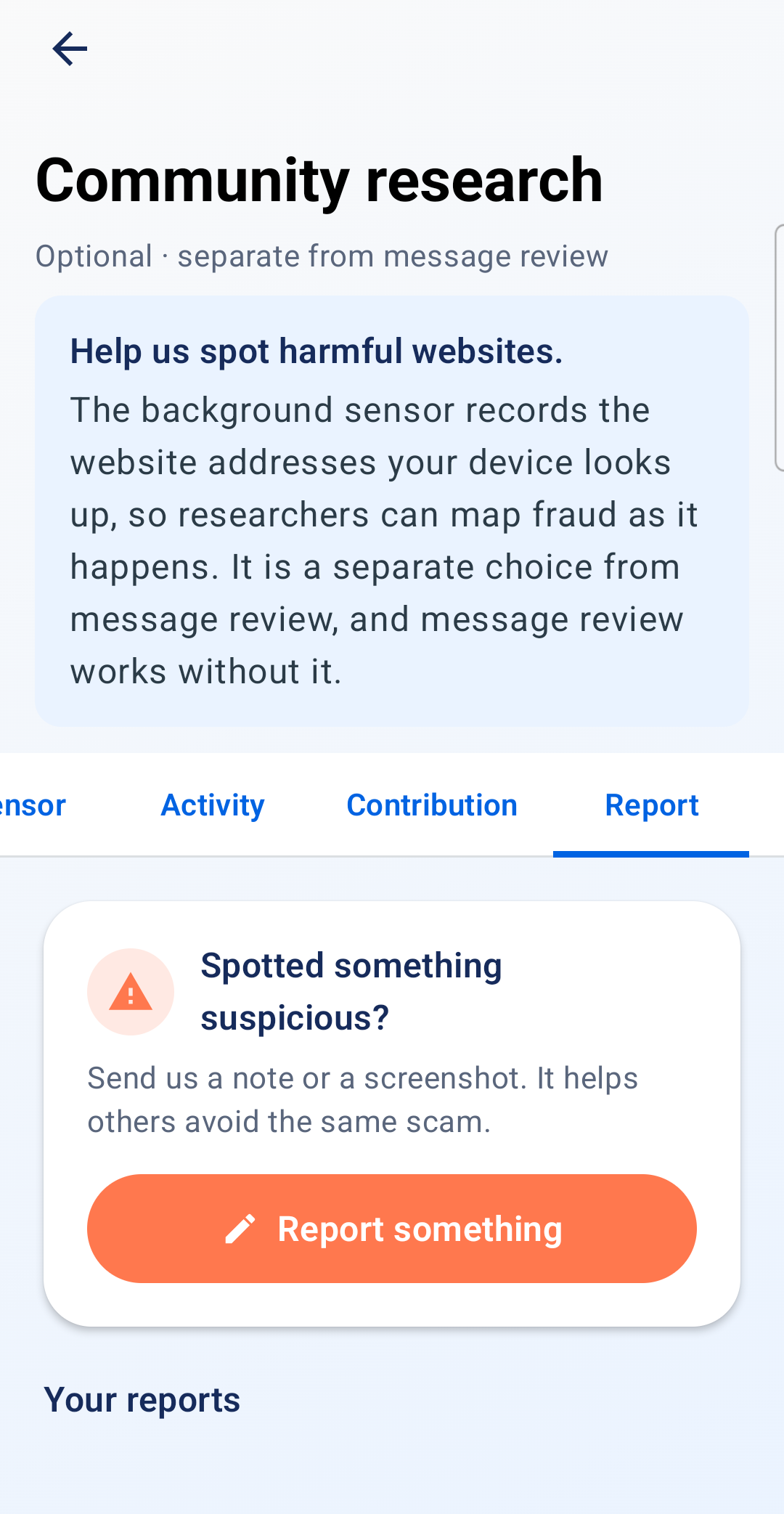
Report something suspicious
Send a note or a screenshot. It helps others avoid the same scam.